
I didn’t wake up one day planning to cancel Netflix or stop using Google Photos.
It started with a quiet frustration – rising subscription costs, storage warnings, and the realization that most of my “digital life” lived on platforms I didn’t control. Movies I already owned. Photos that mattered to me. Music I had collected over the years.
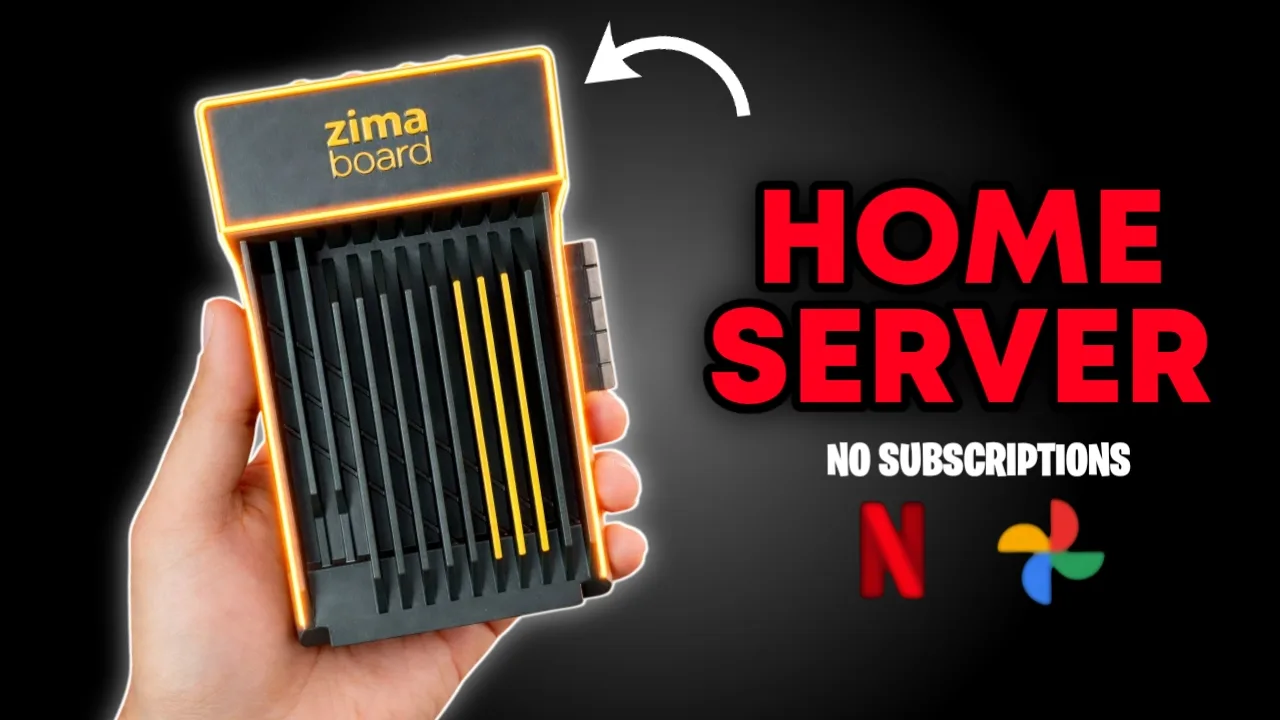
That’s when I tried the ZimaBoard 832 – a tiny, plug-and-play personal home server. What began as a weekend experiment slowly replaced two services I’d assumed were non-negotiable.
This article isn’t about specs or hype. It’s about what actually worked, what didn’t, and whether a setup like this makes sense for you.
Quick Reality Check (Before You Read On)
This setup makes sense if:
- You already own movies, music, or photos
- You’re tired of monthly subscriptions
- You care about where your data lives
It may not be ideal if:
- You rely heavily on streaming discovery
- You don’t want to manage any hardware
- You’re happy trading control for convenience
With that context, here’s how it played out.
What the ZimaBoard Actually Is
At its core, the ZimaBoard 832 is a small home server designed for typical people, not sysadmins.
Instead of uploading everything to the cloud, it lets you run services locally — inside your own network – using a clean, web-based interface. No command-line knowledge is required to get started, which is where most traditional servers lose people.
What it replaces isn’t “the cloud” as a concept, but dependence on it.
Unboxing and Hardware
The first thing that stood out was how intentional everything felt.
In the box
- ZimaBoard unit
- Power adapter with international plug converters
- SATA cable for external storage
- Stickers and documentation
Why the hardware design matters
- Metal body with passive cooling → completely silent
- Dual gigabit LAN → stable local streaming
- SATA + PCIe expansion → storage grows with you
This isn’t a flashy device. It’s meant to disappear into your setup — and that’s a good thing.
Initial Setup: No Friction, No Fear
Setup took about five minutes:
- Plug in Ethernet
- Connect power
- Power on
- Open the setup URL in a browser
- Create a username and password
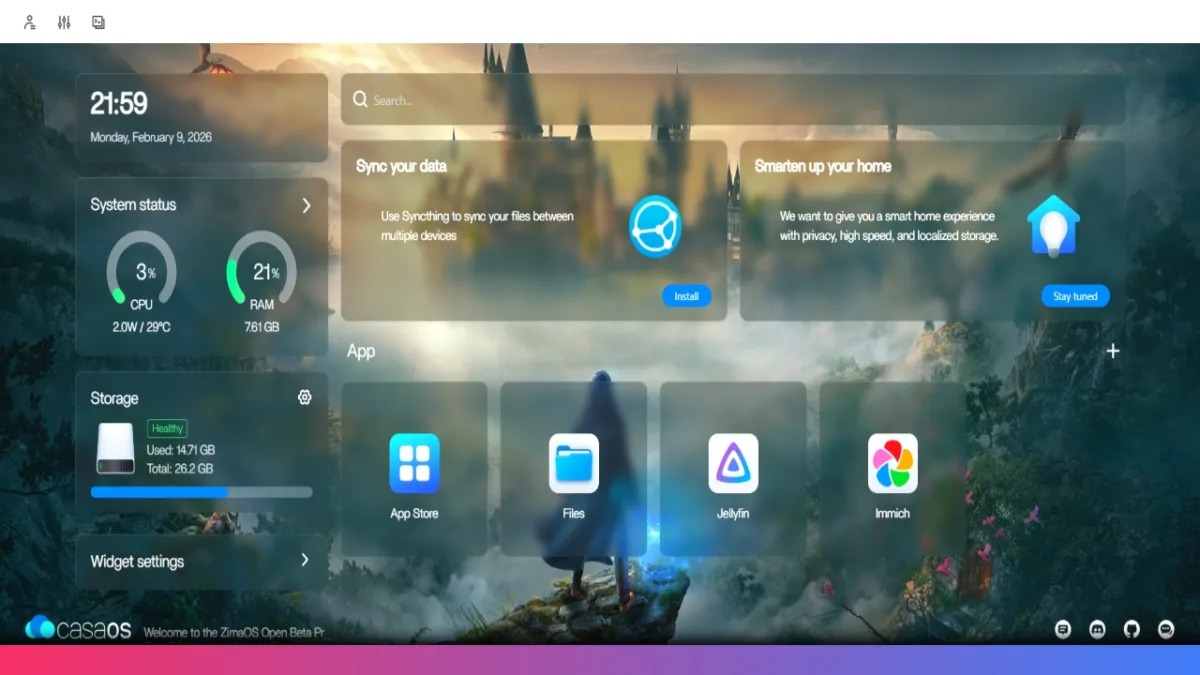
You’re immediately dropped into CasaOS, the operating system that makes this entire experience approachable. Best part: No terminal. No anxiety.
CasaOS: Why This Doesn’t Feel Like “Server Work”
CasaOS feels closer to a phone launcher than a server console.
From the dashboard, you can:
- See CPU and RAM usage instantly
- Rearrange widgets
- Change themes and wallpapers
- Install apps from a curated app store
This matters because visibility builds confidence. You always know what’s running and how hard it’s working.
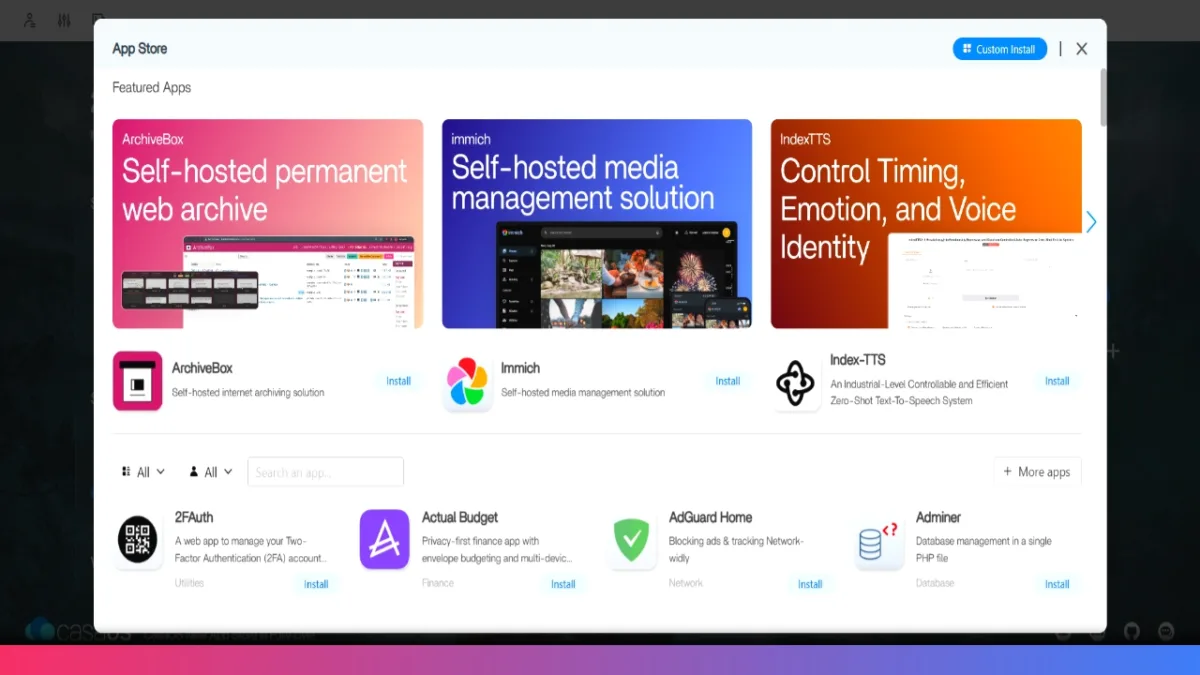
Replacing Netflix with Jellyfin (Step by Step)
To handle movies and TV shows, I installed Jellyfin.
Jellyfin setup
- Open CasaOS App Store
- Install Jellyfin
- Launch and choose:
- Language
- Admin username and password
- Add media folders (movies, music)
- Let Jellyfin scan and fetch metadata
That’s it.
Jellyfin automatically pulls posters, descriptions, ratings, and episode data. The interface feels familiar if you’ve ever used Netflix or Plex – except everything is local.
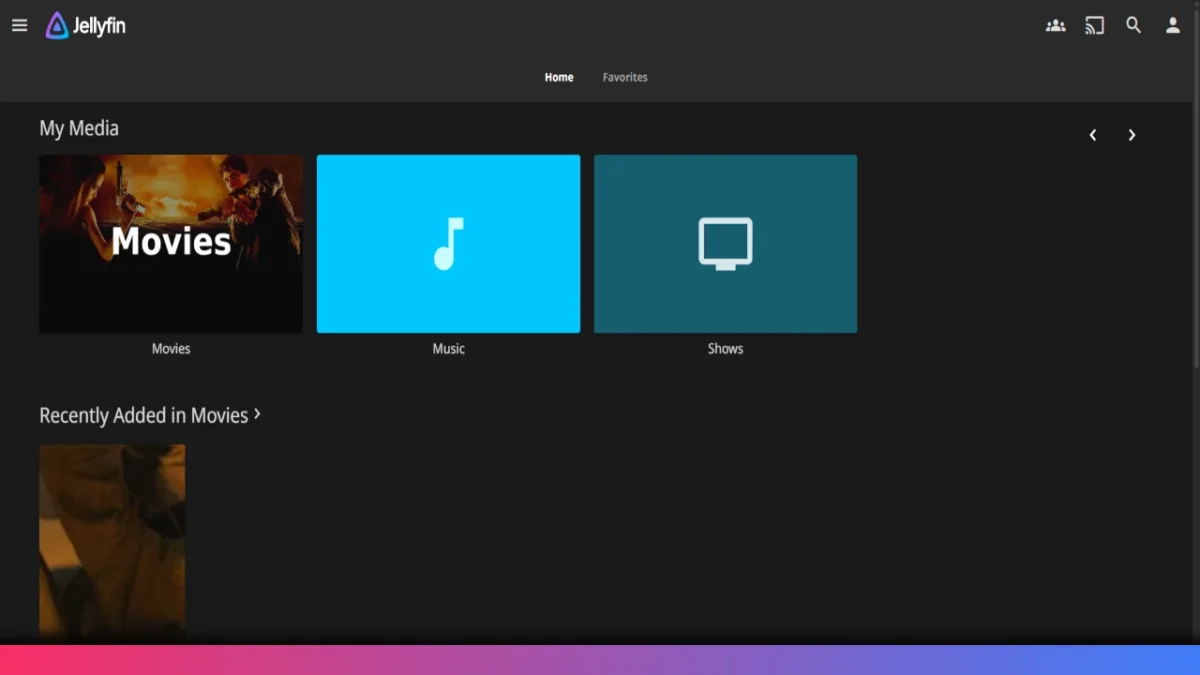
Real-world playback
- Fast seeking
- Minimal buffering
- Smooth Full HD playback
- No ads, no tracking, licensing roulette
If playback ever stutters, adjusting transcoding settings inside Jellyfin usually fixes it.
Streaming Anywhere: Phone, TV, Browser
Accessing Jellyfin on other devices is simple:
- Note the ZimaBoard’s IP address
- Note Jellyfin’s port number
- Enter both in the Jellyfin app or browser
From there, you can:
- Watch movies on your phone
- Stream music like a private Spotify
- Cast to smart TVs and displays
Because the server sits on your local network, responsiveness is excellent.
Replacing Google Photos with Immich
Photos were the harder service to give up — and the bigger surprise.
I installed Immich, an open-source photo platform designed specifically as a Google Photos alternative.
Why Immich works
- Automatic mobile uploads
- Timeline and albums
- Web + mobile access
- Local storage, no compression surprises
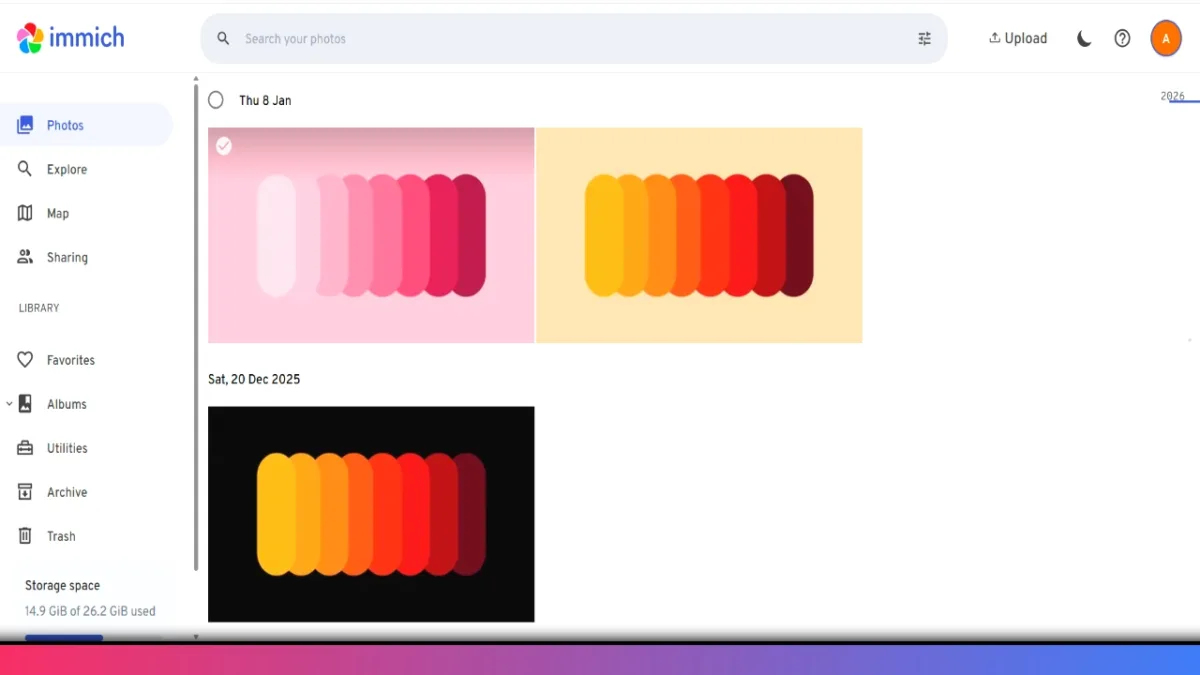
Immich Setup on ZimaBoard
Initial setup
- Install Immich from the CasaOS App Store
- Create an admin account
- Leave defaults for first launch
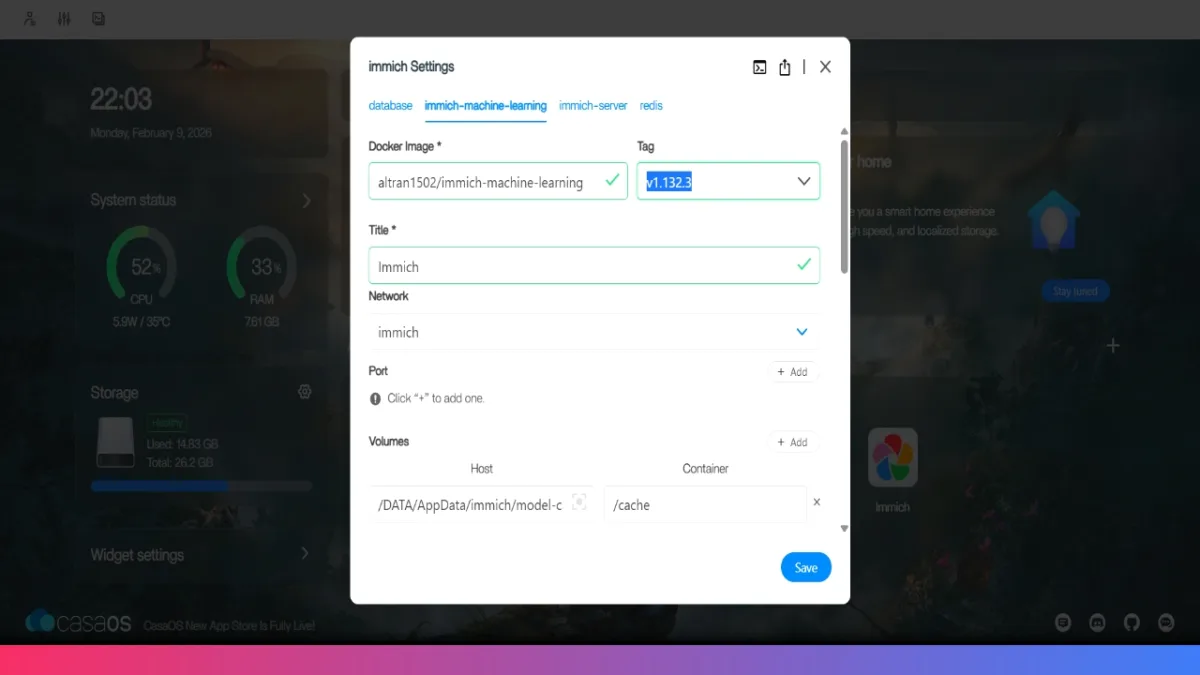
Important configuration step
Before mobile use:
- Stop the Immich app
- Open settings
- Update the image server and machine learning versions to the phone’s app version.
- Save and restart
This ensures proper syncing and tagging.
Using Immich on Your Phone
To connect:
- Install the Immich mobile app
- Enter:
- ZimaBoard IP address
- Immich port
- Sign in
From that point on:
- Photos upload automatically
- New images appear instantly on the web
- Everything stays on your server
Functionally, it feels very close to Google Photos — without the storage warnings.
Storage: The One Thing You Should Plan For
The ZimaBoard includes limited internal storage, which is fine for testing.
For real use:
- Add SATA hard drives for media
- Use NVMe SSDs for speed
- Expand gradually as needed
This flexibility is a strength, not a weakness.
Context: How This Compares
- Compared to cloud services:
Less convenience, far more control - Compared to a NAS:
Simpler, quieter, more beginner-friendly - Compared to doing nothing:
Long-term savings and ownership
This setup trades friction up front for freedom long term.
Who This Is Actually For
This works best if you:
- Own your media
- Care about privacy
- Want fewer subscriptions
- Enjoy learning practical tech
- ColorOS 17 Update Schedule: 50+ Oppo Phones and Expected Rollout Dates
- PhonePe UPI Rolls Out on Nokia and HMD Feature Phones: Full Device List
- UPI on HMD, Nokia Feature Phones Will Stop Working After August 1
- How to Play Brown Dust 2 on Linux Using Heroic Games Launcher
- Google’s Leaked “Aluminium OS” Could Be the Biggest Android Shift in Years
Final Thoughts
The ZimaBoard didn’t just replace a couple of apps. It changed how I think about ownership in tech.
Instead of renting access to my own data, I now run it quietly from a box on my desk. No ads. No algorithms. No surprises.
Once you experience that level of control, it’s hard to go back.