

Anime RPGs on Linux are getting surprisingly playable lately, and Brown Dust 2 is another game that players are now getting running properly through Proton and Heroic Games Launcher.

The process honestly ends up being much simpler than expected once everything is configured correctly.
Instead of dealing with complicated Wine prefixes manually, the setup mainly relies on:
- Heroic Games Launcher
- Proton compatibility tools
- and the official Brown Dust 2 PC installer
And surprisingly, it works fairly smoothly once configured.
How to Download Brown Dust 2 on Linux
The first step is downloading the official PC installer for Brown Dust 2.
Players can currently find the EXE installer through the official Brown Dust 2 Discord server inside the PC download section.
Once downloaded, save the installer somewhere easy to access, like the Downloads folder.
Install Heroic Games Launcher on Linux
To run Brown Dust 2 on Linux properly, players will need Heroic Games Launcher. Heroic Games Launcher can be installed through:
- Flatpak via FlatHub
- or directly from GitHub releases
Once installed, open Heroic Games Launcher and prepare to manually add the game installer.
Best Proton Version for Brown Dust 2 on Linux
After that, you will also need a compatible version of Proton. The easiest method right now is using ProtonPlus, which lets you download custom Proton builds directly without dealing with complicated manual setup.
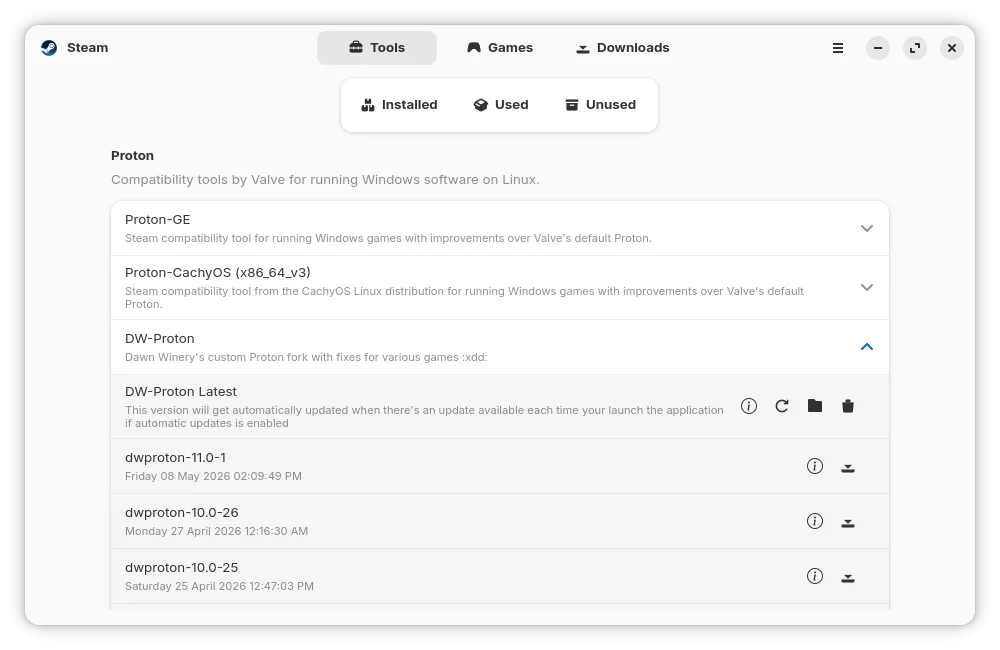
Inside ProtonPlus, you will see multiple Proton versions available. It is recommended to use the latest GE or DW Proton build.
After opening Heroic Games Launcher:
- Press Add Game
- Enter the game name
- & open Wine settings
For compatibility, it is recommended to use:
- GE Proton Latest
- Wine GE
- or alternatives like CachyOS/DW Proton
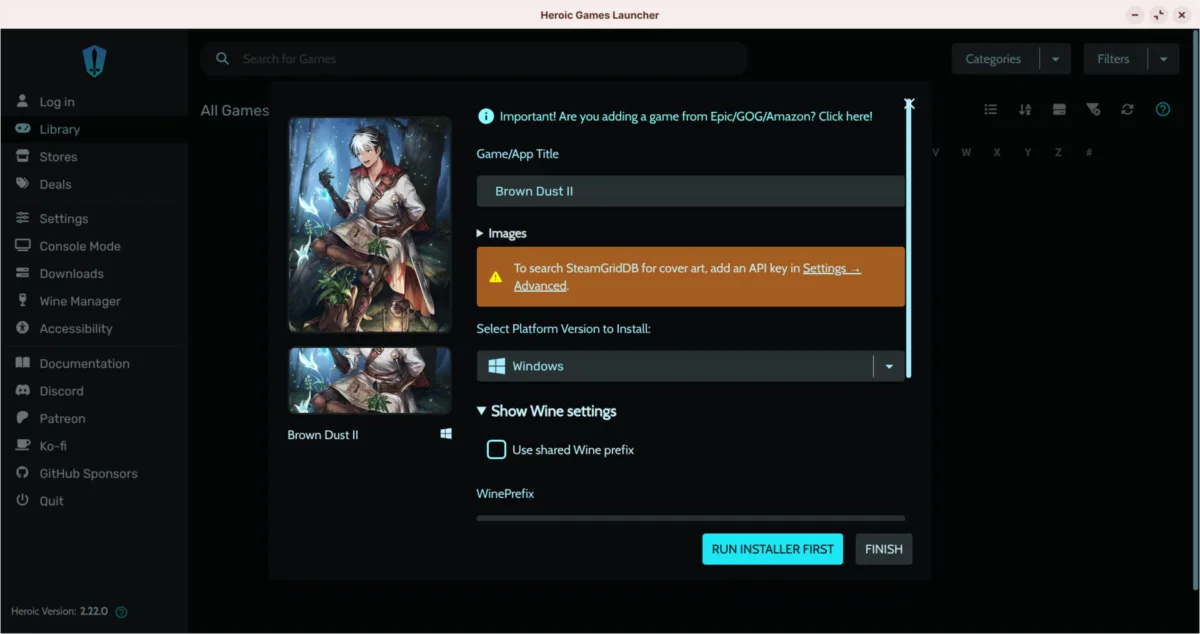
After selecting the compatibility layer, players simply choose the Brown Dust 2 EXE installer downloaded earlier.
Once:
- the game name
- Proton version
- and executable
are configured properly, press Finish.
Brown Dust 2 Heroic Launcher Settings Explained
Before launching the installer, one additional step is required.
Inside Heroic Games Launcher:
- Right-click the game
- Open Settings
- Then navigate to Advanced or Game Arguments
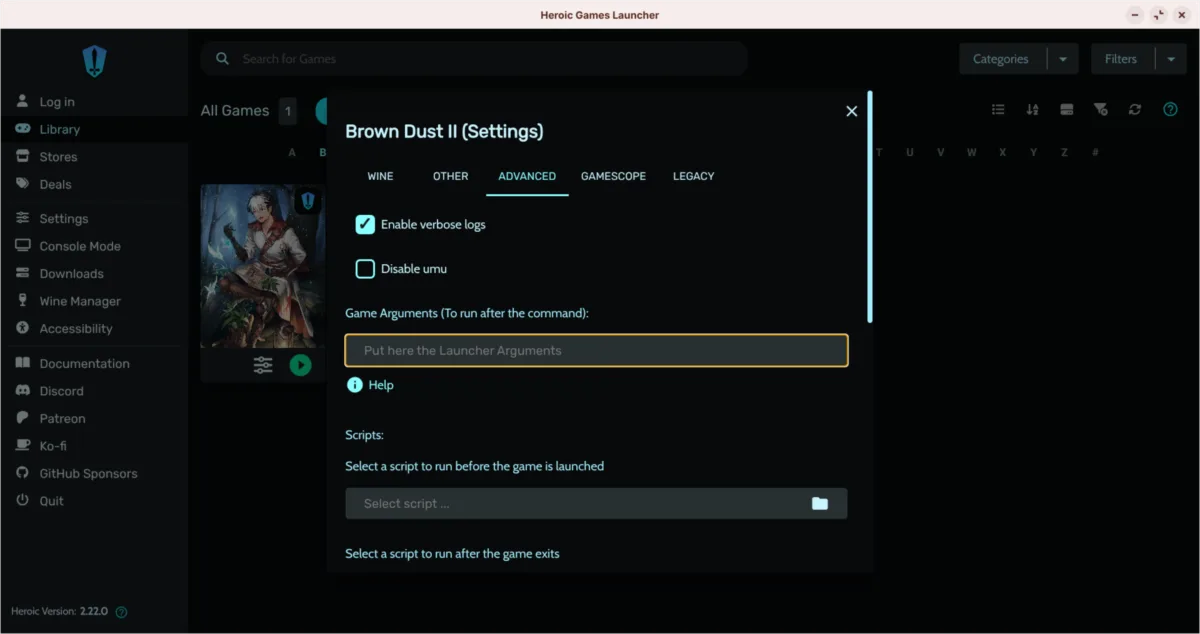
Also, make sure to copy and paste the special launch arguments from the official Discord or below and paste them directly into Heroic Launcher.
browndust:games/10000001?usn=0This appears necessary for proper compatibility and installation behavior on Linux. Once added, close the settings window.
Brown Dust 2 Installer on Linux Works Surprisingly Well
After launching the installer through Heroic Games Launcher, we get the Windows installer inside the Wine environment.
The installer automatically uses the Linux Wine C drive as expected, and the setup process behaves similarly to Windows.
Once installation finishes:
- accept the terms
- configure graphics settings
- and log in using the preferred account method
Players who already use Brown Dust 2 on mobile can reportedly continue using the same account credentials. That makes cross-platform progression much easier.
Brown Dust 2 Runs Properly on Linux After Installation
After the initial setup and the large game download completes, the game will launch directly into full-screen mode.
So, the overall process is surprisingly straightforward compared to many other anime gacha RPGs on Linux.
You can also try launching this game via
- Steam
- Bottles
- and alternative launchers
However, Heroic Games Launcher currently appears to be one of the easiest solutions.
Linux Gaming Compatibility Keeps Improving
What makes guides like this interesting is how much Linux gaming compatibility has improved recently.
A few years ago, getting modern anime RPGs running on Linux usually required:
- complicated Wine tweaks
- manual dependency fixes
- or heavy troubleshooting
Now, tools like:
- Heroic Games Launcher
- Proton GE
- and community compatibility guides
They are making these games far more accessible for normal users.And honestly, seeing games like Brown Dust 2 already functioning this smoothly on Linux is pretty impressive.